How To Update My Blackberry Software
To begin with, this is NOT something that can be done OTA so please do not ask for an OTA link.
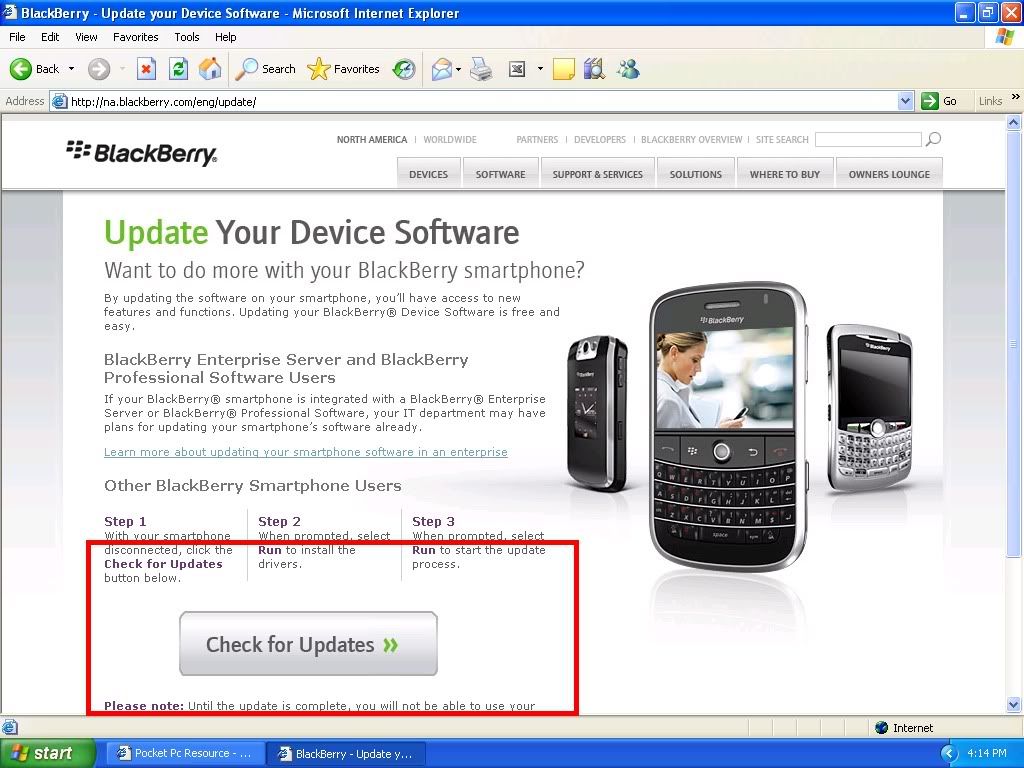
There are a few different ways to go about updating your blackberry. The first and easiest is to use the blackberry website, if you already have the blackberry desktop manager installed simply visit blackberry update and click the large button that says, "Check for Updates" while your blackberry is connected to the computer.
 If your blackberry Desktop Manager is not installed you can find the correct software here: https://www.blackberry.com/Downloads...93E4F3BB068C22
The next way to dl the newest OS is to actually download the file containing the software. This will be specific to each model blackberry so please choose the correct file. You can find the correct software specific to your device by going to this link, and entering your PIN.
https://www.blackberry.com/hhupgrade/
If your blackberry Desktop Manager is not installed you can find the correct software here: https://www.blackberry.com/Downloads...93E4F3BB068C22
The next way to dl the newest OS is to actually download the file containing the software. This will be specific to each model blackberry so please choose the correct file. You can find the correct software specific to your device by going to this link, and entering your PIN.
https://www.blackberry.com/hhupgrade/
If you do not know your PIN this can be found under Options>Status>PIN
If neither of these works, PM me for extra trouble shooting.