View Single Post
  #1  
Old 09-24-2024, 05:09 AM
phillynews215's Avatar
phillynews215 phillynews215 is offline   Thread Starter  
I'm A Community Feed Poster

  puertorico
 
Join Date: October 11th, 2009
Posts: 13,283
Downloads: 0
Uploads: 0
phillynews215 Knows Their Stuffphillynews215 Knows Their Stuffphillynews215 Knows Their Stuffphillynews215 Knows Their Stuffphillynews215 Knows Their Stuffphillynews215 Knows Their Stuffphillynews215 Knows Their Stuffphillynews215 Knows Their Stuffphillynews215 Knows Their Stuffphillynews215 Knows Their Stuffphillynews215 Knows Their Stuff


View phillynews215's Profile   Edit Options Edit Profile Picture View phillynews215's Photo Album Add phillynews215's to Your Contacts Show Groups Edit Avatar Subscribed Threads Private Messages
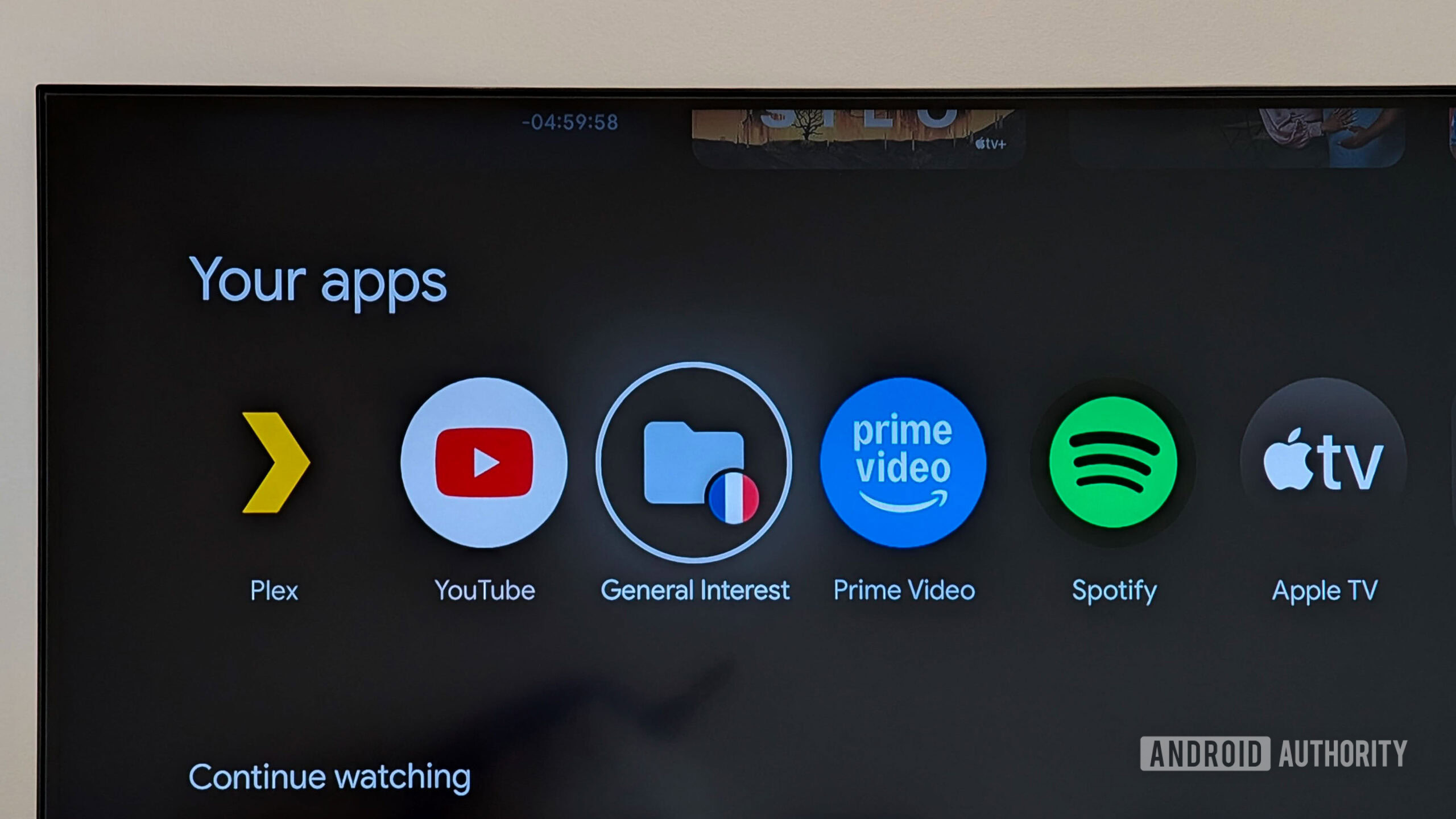
Default Google TV Streamer shoved a silly ‘General Interest’ app folder on my home

Google TV’s interface is full of rows and icons that get in my way when I simply want to open my local sports streaming app or YouTube or Plex and enjoy my content. However, one piece of the Google TV experience has remained sacred so far — the app icon row. This usually shows me a list of all my installed apps, i.e. the icons I actively chose to put on my TV and organized according to my own use. Well, until today, that is. Because with the new Google TV Streamer, Google has decided to desecrate the app icon row too.


More...
Reply With Quote