View Single Post
  #1  
Old 10-22-2024, 11:41 AM
phillynews215's Avatar
phillynews215 phillynews215 is offline   Thread Starter  
I'm A Community Feed Poster

  puertorico
 
Join Date: October 11th, 2009
Posts: 13,267
Downloads: 0
Uploads: 0
phillynews215 Knows Their Stuffphillynews215 Knows Their Stuffphillynews215 Knows Their Stuffphillynews215 Knows Their Stuffphillynews215 Knows Their Stuffphillynews215 Knows Their Stuffphillynews215 Knows Their Stuffphillynews215 Knows Their Stuffphillynews215 Knows Their Stuffphillynews215 Knows Their Stuffphillynews215 Knows Their Stuff


View phillynews215's Profile   Edit Options Edit Profile Picture View phillynews215's Photo Album Add phillynews215's to Your Contacts Show Groups Edit Avatar Subscribed Threads Private Messages
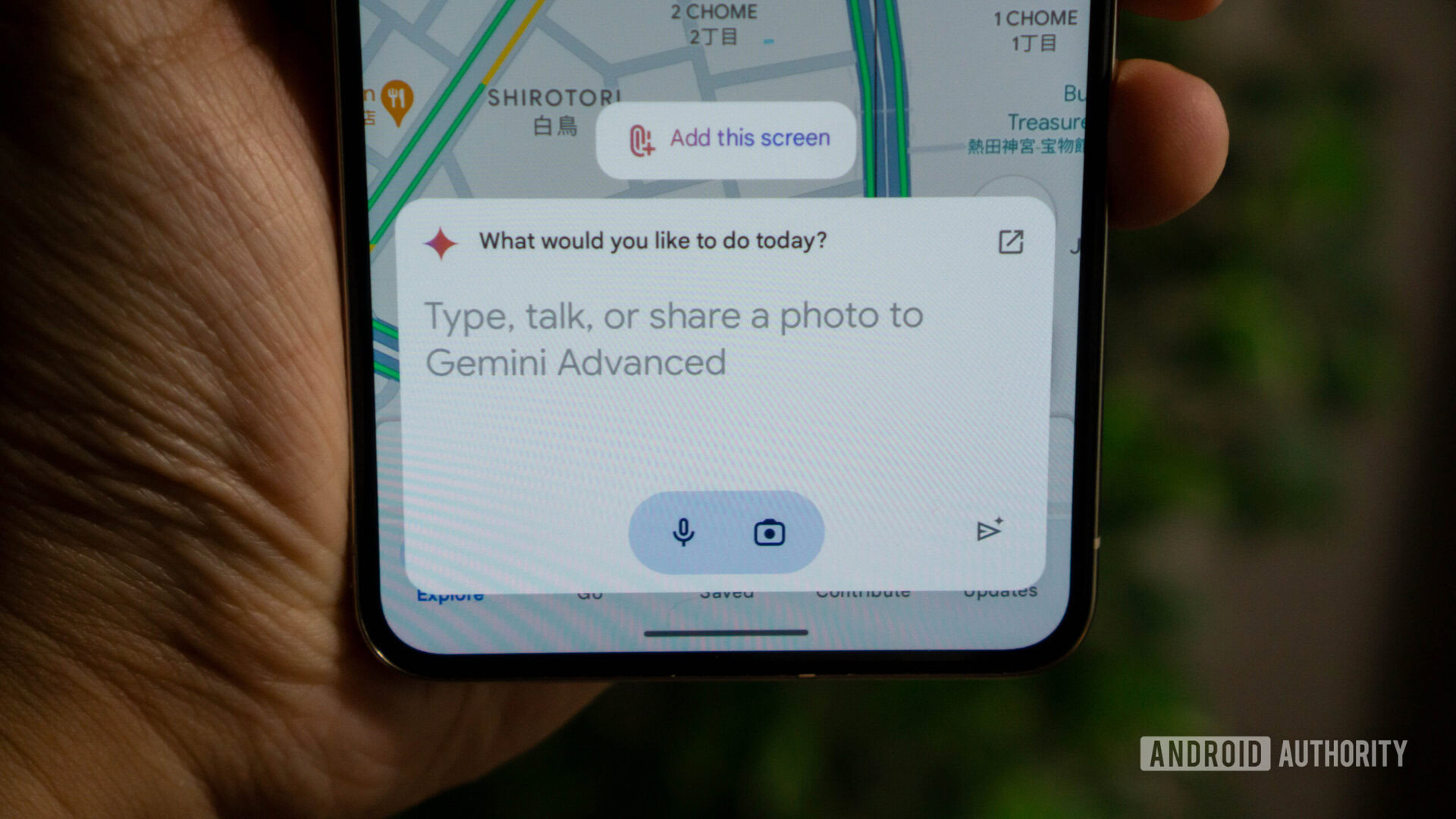
Default Gemini now gets straight to the point with new ‘Ask Gemini’ prompt

Credit: Calvin Wankhede / Android Authority

  • Google is further simplifying Gemini by shortening the prompt in the text field.
  • The text now simply reads “Ask Gemini” or “Ask Gemini Advanced.”
  • The change has been applied on Android and desktop, but not on iOS.
Gemini has been going through a few changes recently, such as losing the suggestion carousel and the “Chats & Gems” section. Google has now implemented another change that further simplifies the app’s look.

If you’re a regular user of Gemini, then you probably have noticed the prompt in the text field that reads “Type, talk, or share a photo to Gemini (Advanced).” This text has now been replaced with something shorter and more to the point. First spotted by 9to5Google, the prompt now simply says “Ask Gemini” or “Ask Gemini Advanced,” depending on what version you’re using.


More...
Reply With Quote