Most of us might not use
Galaxy AI every day, but moments like these help us remember that generative AI can be a fun tool, if sometimes a little scary. It's Halloween, and Samsung's Sketch to Image offers a fast and fun way to make your photos spookier or to doodle your favorite Halloween themes in record time.
As we said before, Sketch to Image consists of two main components. One lets you superimpose realistic objects on your photos by simply drawing them. The other helps you create neat drawings from scratch. It all works pretty amazingly most of the time, thanks to Google's scary-good Artificial Intelligence systems.
The magic of Sketch to Image, generative AI, and Halloween have never met before this year. This is the first Halloween when these incredible forces clash, and Sketch to Image lets our (dark) creativity flow.
Need some ideas? Maybe you can surprise your friends by adding spooky elements to their photos. Or you can doodle your favorite Halloween themes for a collage. Sketch to Image is one of the more creative Galaxy AI tools available, and we
kind of fell in love with it already, even before Halloween.
There's a lot of fun experimentation to have with Sketch to Image, even if you don't have a lot of practice drawing. Don't get spooked out by the difficulties of digital painting. You will have to invoke the spirit of AI, but Sketch to Image makes things a lot simpler.
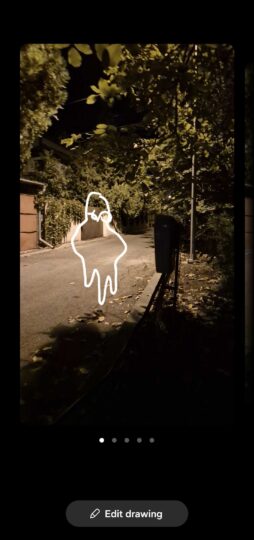



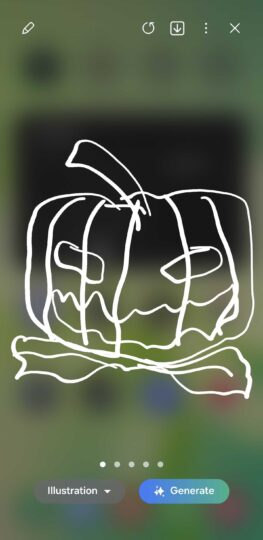
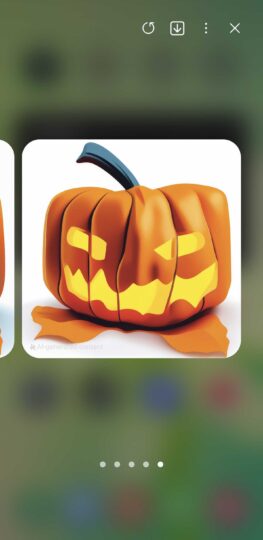


This drawing tool is available for many Galaxy phones and tablets, and although it doesn't require a big screen or a magic wand, a.k.a., the S Pen, those elements make things easier.
If you want to use Sketch to Image to
spookify existing photos, open the Gallery app, choose a photo, tap the Galaxy AI button in the middle of the toolbar below, then select
“Sketch to Image” and start doodling. When you're ready, tap
“Generate.”
Otherwise, if you want to create Halloween-themed doodles from scratch, you can launch Sketch to Image from the Edge panel.
The post
Boo! Have a spookier Halloween with Samsung’s Sketch to Image appeared first on
SamMobile.
More...