View Single Post
  #1  
Old 12-11-2024, 03:10 AM
phillynews215's Avatar
phillynews215 phillynews215 is offline   Thread Starter  
I'm A Community Feed Poster

  puertorico
 
Join Date: October 11th, 2009
Posts: 13,271
Downloads: 0
Uploads: 0
phillynews215 Knows Their Stuffphillynews215 Knows Their Stuffphillynews215 Knows Their Stuffphillynews215 Knows Their Stuffphillynews215 Knows Their Stuffphillynews215 Knows Their Stuffphillynews215 Knows Their Stuffphillynews215 Knows Their Stuffphillynews215 Knows Their Stuffphillynews215 Knows Their Stuffphillynews215 Knows Their Stuff


View phillynews215's Profile   Edit Options Edit Profile Picture View phillynews215's Photo Album Add phillynews215's to Your Contacts Show Groups Edit Avatar Subscribed Threads Private Messages
Default YouTube brings long-awaited vertical UI to one of its mobile apps

Credit: Edgar Cervantes / Android Authority


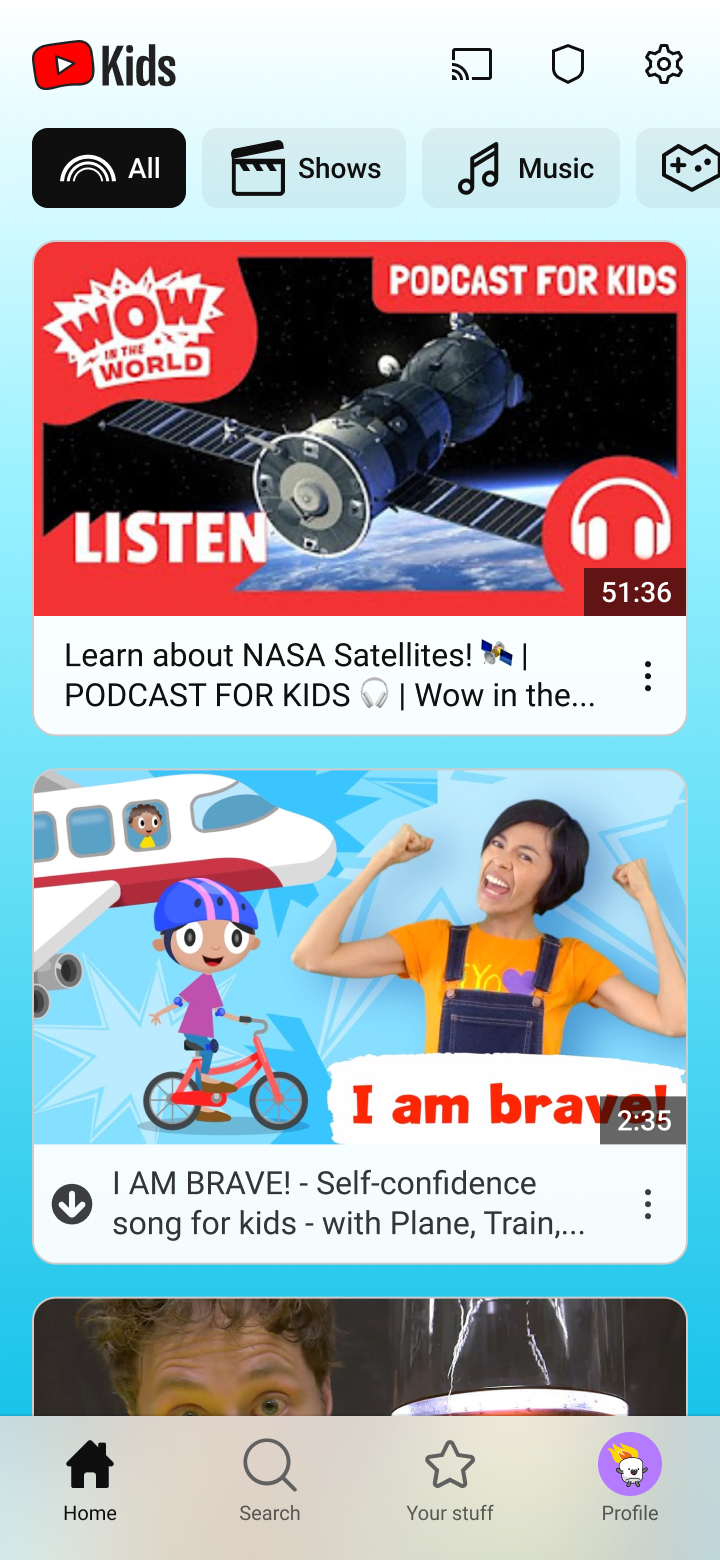
  • YouTube Kids is gradually rolling out support for vertical use on Android and iOS.
  • The update completely overhauls the mobile app with cleaner icons and a modern user interface.
  • The app now offers a new navigation bar at the bottom and video category shortcuts towards the top.

For years, YouTube Kids was restricted to landscape use, even when holding your iOS or Android phone in portrait orientation. While YouTube videos are typically consumed horizontally, the limitation made it hard for some users to browse the mobile app and search for content. Fortunately, this is no longer the case, as YouTube Kids now offers a vertical user interface.


More...
Reply With Quote