One of the ways Samsung keeps an upper hand over other Android brands is by constantly adding new software and customization features. One such new feature is an app called
Display Assistant, which offers more control over your phone's display behavior on a per-app basis.
Display Assistant app offers brightness, refresh rate, and screen timeout settings for each app
The Display Assistant app, which is currently in beta phase, was recently released (
via @UniverseIce) by Samsung and is a part of Good Guardians (previously called Galaxy Labs). It offers granular display settings control for each app. For example, you can set the brightness, refresh rate, and screen timeout for each app.
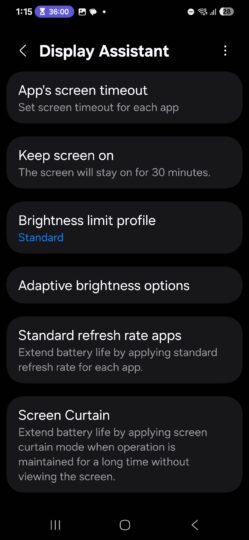
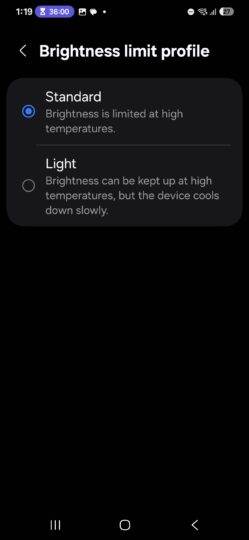
You can set the brightness limiting curve, where you can allow the photo to sustain high screen brightness for a longer time. However, the app warns that doing so may allow the phone to cool down slower and emit more heat.
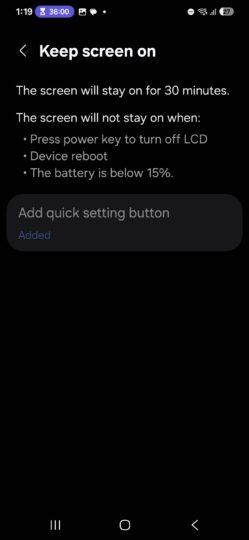
You can change the automatic brightness limiting to activate after 10 minutes. The app also allows one-click access to keep the screen turned on for 30 minutes. All these settings can be done on a per-app basis.
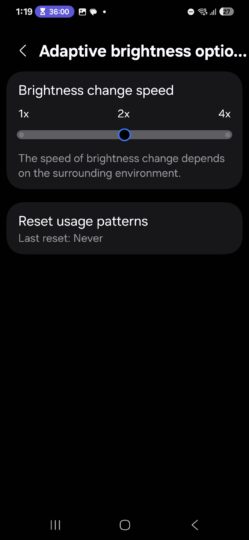
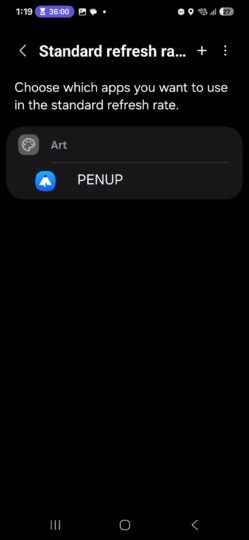
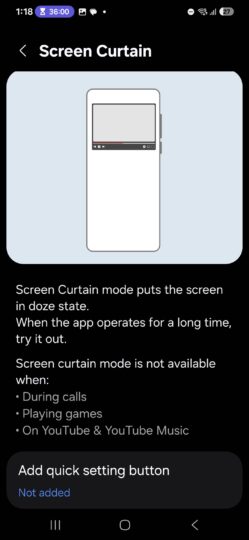
The app also allows you to limit certain apps to 60Hz to save power. The Curtain Mode, when activated, dims the screen or takes it to sleep mode without locking the screen, at least based on the app's description. It allows you to save battery when an app is doing a long operation.
The Display Assistant app appears to be exclusive to China for now, so you will have download its installation file to your phone and install it manually using the Samsung My Files app or any other file manager. Download the Display Assistant app
here or
here.
You do not need the Good Guardians app to access Display Assistant, but if you want Good Guardians to access other functionality,
download it from the Galaxy Store here.
The post
Samsung brings immensely useful One UI feature for display nerds appeared first on
SamMobile.
More...