Earlier this month,
Samsung showcased prototype for its first XR headset, the
Project Moohan. It uses Google’s brand-new
Android XR OS, and will be a direct rival to Apple’s Vision Pro. Back then, the two firms shared very little about the headset and the OS. However, that’s slowly changing. Last week, Google revealed that
Android XR will support Find My Device. Now, we have details about how you can control it.
On
the Android Developer website, Google has revealed that Android XR features ‘
gesture navigation.’ It combines Android’s traditional three-button navigation and the more modern button-less gesture system.
As soon as you raise your hand, the OS will show you a diamond-shaped button. To press it, you will have to bring your thumb and forefinger together to make the pinching gesture. Once you do that, you will see three buttons that you are familiar with. Circle for Launcher, triangle for back, and square for Recents. To select one, slide your hand over it and let go of the pinching gesture. You can check it out in the video below.
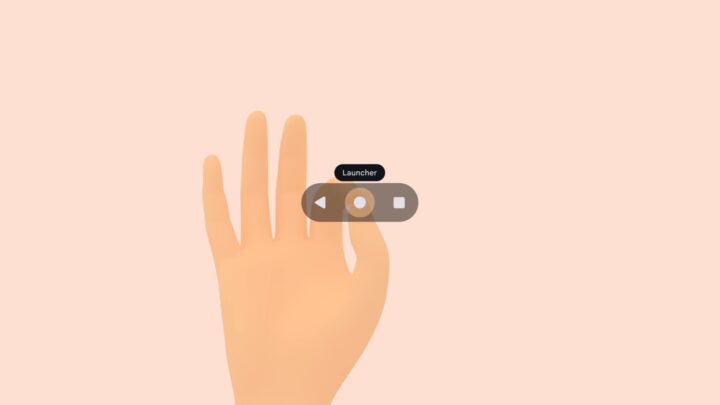
Credits – Google Android XR’s navigation gesture looks very easy to use. The fact that it is based on Android’s navigation systems contributes to its ease-of-use. Getting the basics right is the most important thing, and it looks like Google is on the right path.
The story continues after the video…
The company has also revealed that the OS features two spaces, Home Space and Full Space. You can read more about it here.
The post
Samsung’s XR headset features Android’s familiar 3-button navigation appeared first on
SamMobile.
More...