One of the things that XR headsets are great at is offering an enjoyable app usage experience. They can show you multiple apps at once in environment around you where you feel like you have multiple monitors setup or they can show you a single app in an arrangement where you feel like you are sitting in front of a massive screen or you are in a theatre. Well, Samsung's XR headset prototype, the
Project Moohan, which is based on Google's
Android XR, also excels at offering a fantastic app usage experience.
On
the Android Developer website, Google reveals that Android XR will allow users to experience applications in two modes  Home Space and Full Space. “
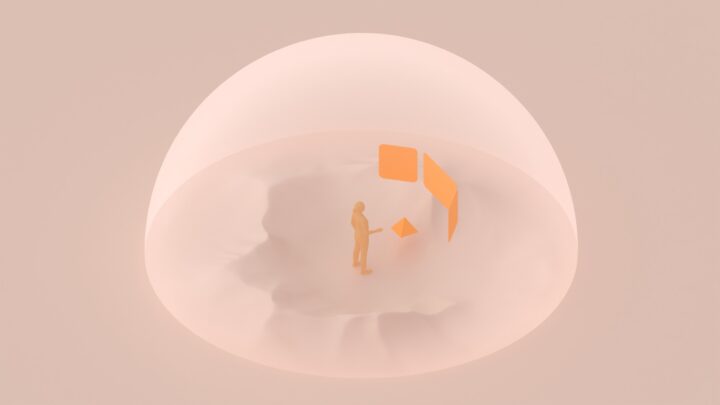
In Home Space, a user is able to multitask with your app running side by side with other apps. In Full Space, your app takes center stage as the focus of the user's experience with full access to the immersive capabilities of Android XR.†You can check out both the modes in the video below.
https://www.sammobile.com/wp-content...Full-Space.mp4
The video also shows that the OS offers a button to switch between the two modes. By default, apps will open in Home Space. You can then press the expand button to go into Full Space. To switch back to Home Space, you will have to press the collapse button. From what we can see, Android XR seems to offer a good multitasking and single app usage experience. Google has also illustrated the two modes with images, which you can check out below.

 What else will Google's and Samsung's Project Moohan XR headset offer?
Recently, Google revealed that
Android XR will support Find My Device, allowing people to easily find the Samsung XR headset. It has also detailed
the navigation system of the brand-new OS. Google and Samsung are expected to offer people hands-on experience of the Project Moohan at CES 2025 which will kick off on 5 January 2025. Follow our channel on
Telegram or
WhatsApp to be the first to know more about Samsung's upcoming XR headset.
The post
This is how apps will look in Samsung’s XR headset appeared first on
SamMobile.
More...