Google has released a new beta version of the
Gboard app for
Android (version 14.9.06.x). It brings the Undo button to the keyboard (
via 9To5Google).
As you might have already figured out, tapping on this button will undo the last action. For example, if you paste content in the text input box and then click the undo button, it will remove the content that you had pasted. It basically works in the same way undo buttons work in apps like Google Docs, Microsoft Word, and Apple Pages.
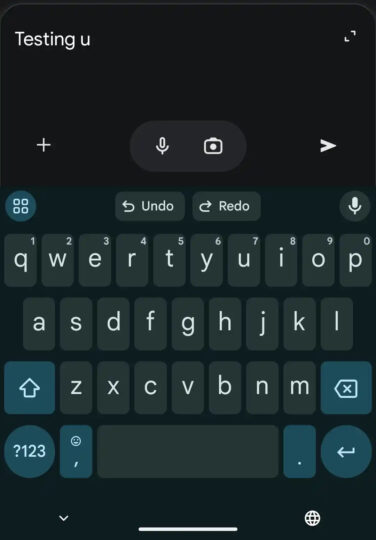
The undo button in Gboard is available as a shortcut for the toolbar. You can add it to the toolbar for quick access. There’s no information about when Google will bring the new feature to the stable version of the keyboard. However, considering the company’s feature rollout history, expect the undo button to be publicly available in the next few weeks.
The post
Gboard for Android gets Undo button appeared first on
SamMobile.
More...