Samsung is rolling out an update to the Galaxy Store for Galaxy smartphones and tablets. It carries version
4.6.03.8 and seems to bring only one, yet very useful upgrade that improves usability.
On Samsung’s
Community forum, a user
reveals that after updating Galaxy Store, the app shows the search bar at the bottom of the screen rather than at the top in the previous version of the app.
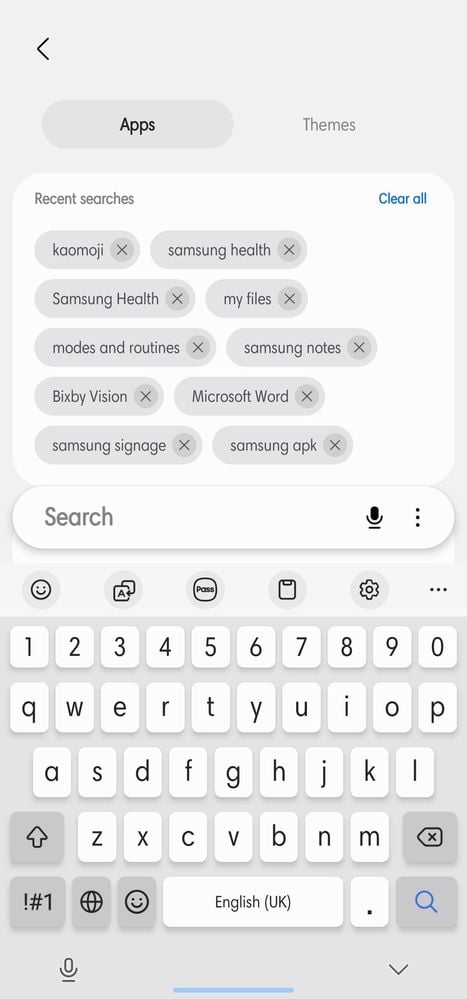
This is one of the upgrades that Samsung's apps for
One UI 8.5 offer. Considering that, it looks like the brand is preparing Galaxy Store for its upcoming software. So far, that’s the only change that has been discovered. If we come across other changes, we will update the article.
When Samsung makes the update available for your Galaxy phone, as soon as you open the Galaxy Store, the app will show you that a new version is available, and give you two options:
Update and
Close app. Tap on the former to update Galaxy Store to the latest version.
The post
New Galaxy Store update improves usability appeared first on
SamMobile.
More...