 |



|
#1
 01-06-2025, 03:27 PM
|
||||
|
||||
 One UI 7 now lets you pick which corner brings up Quick Settings
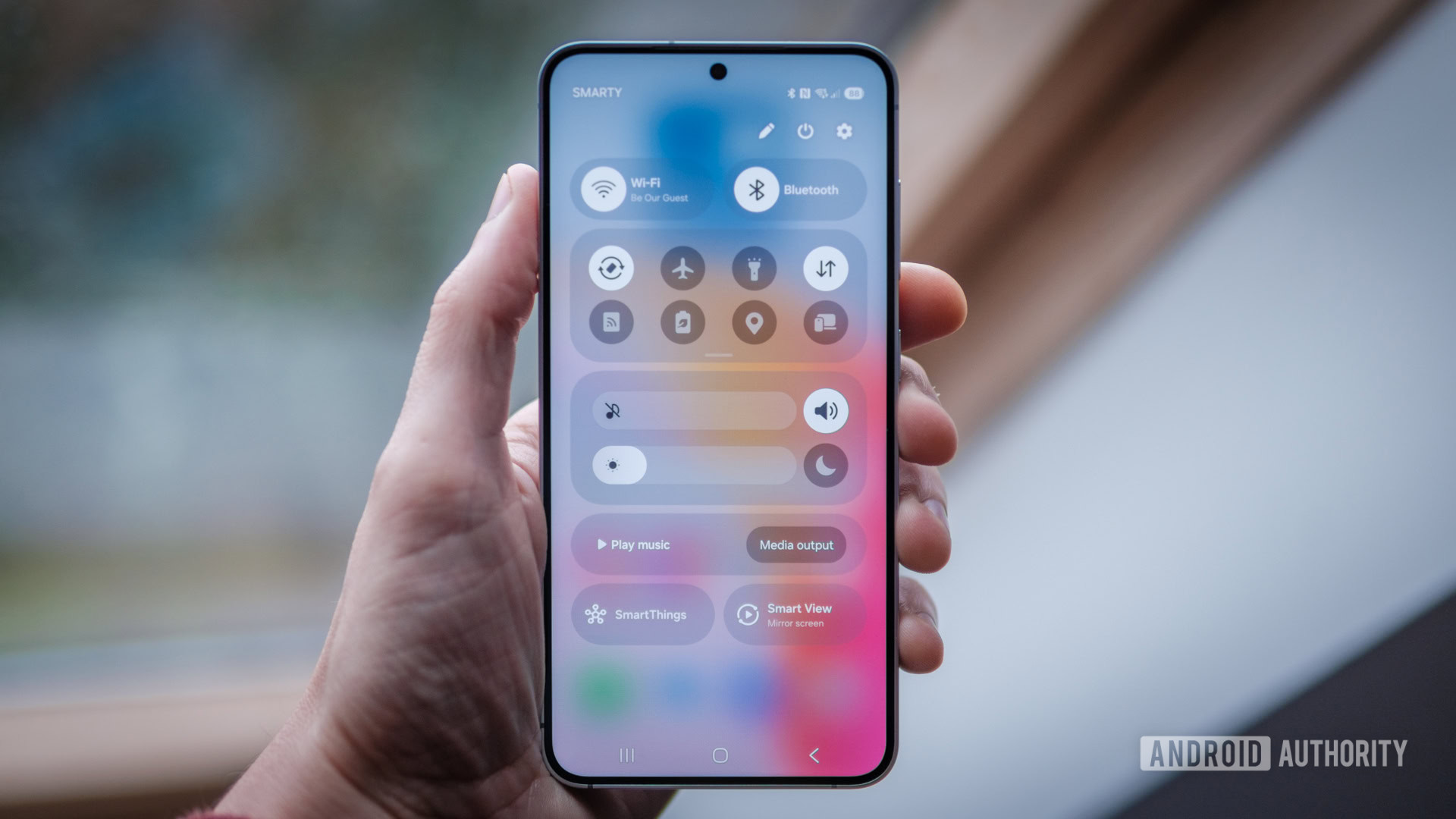 Credit: Robert Triggs / Android Authority Credit: Robert Triggs / Android Authority
One UI 7 introduces several new changes to Samsung’s Android skin. It’s the biggest change the UI has seen in a long time. One of the most notable modifications is having the ability to separate notifications and Quick Settings into two different panels. In the latest beta for the OS, Samsung is now letting you choose how you access the quick panel. In One UI 7, if you go into Panel settings, you can choose to keep notifications and Quick Settings together or separate them. If you separate them, you’ll have two ways to access the quick panel: either by swiping down from the right corner of the screen or opening the notifications panel and swiping left from the right side of the screen. More... 
|





  |
«
Previous Thread
|
Next Thread
»
| Currently Active Users Viewing This Thread: 1 (0 members and 1 guests) | |
|
|

 Similar Threads
|
||||
| Thread | Thread Starter | Forum | Replies | Last Post |
| Samsung’s One UI 8.5 update makes quick settings pop with cleaner, glassier | phillynews215 | Digital Scoop | 0 | 10-30-2025 05:09 AM |
| [NEWS] One UI 7 lets you add quick setting toggles to notifications screen | phillynews215 | Just About Digital Community | 0 | 12-09-2024 01:23 AM |
| [NEWS] Weekly poll: which of the three Honor 300 models is your pick (if any)? | phillynews215 | Just About Digital Community | 0 | 12-08-2024 01:40 AM |
| One UI 7 lets you choose if you want your notifications and Quick Settings | phillynews215 | Digital Scoop | 0 | 12-06-2024 04:48 PM |
| Samsung now lets you control its latest earbuds right from Quick Settings | phillynews215 | Digital Scoop | 0 | 12-06-2024 01:12 PM |
All times are GMT -4. The time now is 09:53 AM.