 |



 Sync your Android phone with DoubleTwist Details »»
|
|||||||||||||||||||||||||||
|
Sync your Android phone with DoubleTwist

Supporter Last Online: Nov 2009 

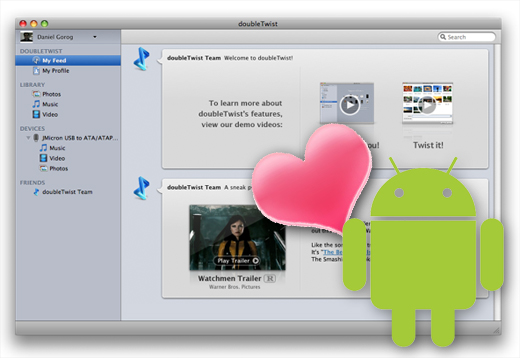  To connect the T-Mobile Android phone you have to make sure it's properly mounted to your computer. Really. When you connect your Android's USB cable to your computer, you'll notice a small USB icon that appears on the top left of your phone's screen. Touch it and drag it down the screen with your finger. You'll be presented with a "USB connected" notification. Tap the "USB connected" notification, then select "Mount". Do so and you're ready to sync. If you skip this step and fail to mount your phone, the Android may show up in doubleTwist but will not sync, giving you a sync failed message. To sync photos, videos and music between your device and a Windows PC: 1. Plug the USB cable into your computer 2. The device will show up as "HTC Android" under Devices on the doubleTwist sidebar 3. Click on the device -- not the individual folders for pictures, videos or music (these are for viewing the content on your device) 4. Click on the Photos, Music or Video tab (inside the main doubleTwist window) to configure your sync preferences Select the checkbox "Sync photos with this device" if you want to sync photos. Select the checkbox "Sync music with this device" if you want to sync music. Select the checkbox "Sync video with this device" if you want to sync video. Choose between syncing "All photos" and specific photo folders Choose between syncing "All music" and specific music playlists Choose between syncing "All video" and specific video folders 5. When all is in place, click Sync on the bottom right and sit back and let doubleTwist do all the heavy lifting. doubleTwist will remember your settings so you only need to do this once (or whenever you want to change your sync preferences) To sync photos, videos and music between your device and your Mac: Its a simple drag and drop from your media library or from items in your doubleTwist Feed to the Android phone. Easy as pie! Note: We've found that we don't correctly detect the Android devices if USB debugging is turned on (Settings, Applications, Development, USB Debugging"). This is a setting likely to only be used by developers, but be aware of the impact of having this enabled. GRTZ CYBER WEESJE MODERATOR@Wckediden HIT THANKS ON THE WAY OUT Download Now
Show Your Support
|
|||||||||||||||||||||||||||

 About Supporter
 No support by the author.
  |
| Tags |
| android, doubletwist, phone, sync |

«
Previous Thread
|
Next Thread
»
| Currently Active Users Viewing This Thread: 1 (0 members and 1 guests) | |
|
|

|
Similar Threads
|
||||
| Thread | Thread Starter | Forum | Replies | Last Post |
| Google might let you sync your notifications between your Android devices | phillynews215 | Digital Scoop | 0 | 09-18-2024 09:55 AM |
| [NEWS] BlackBerry Bold 9700 Sync Pod Powers AND Syncs Your Phone | phillynews215 | Bulletin News | 0 | 11-17-2009 02:20 PM |
| [RELEASE] [APP][PRJ] Hydros Sync Center [Replace Active Sync] | jr5416 | Mobile Locker | 0 | 10-29-2009 08:28 PM |
All times are GMT -4. The time now is 12:10 PM.