 |



 VGA Berry 66 version 20 by apothehouse Details »»
|
|||||||||||||||||||||||||||
|
VGA Berry 66 version 20 by apothehouse

Supporter Last Online: Nov 2009 

HI GUYS I TAKE NO CREDIT FOR THIS THEME
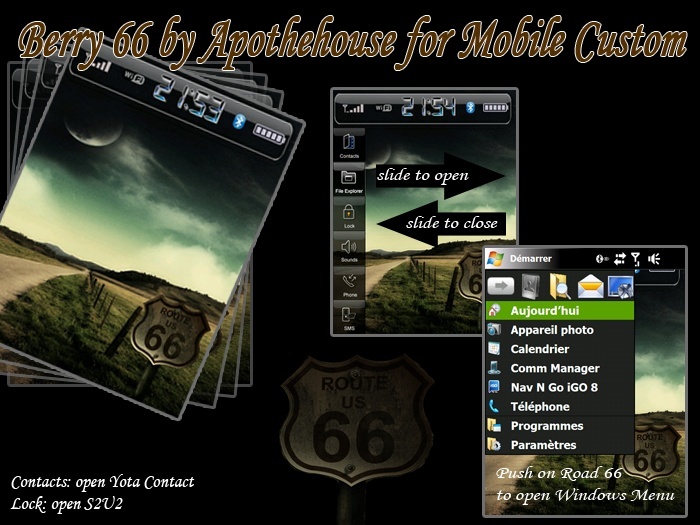 Installing VGA Version: - Install Wisbar advance desktop 2: Official Website here - Download the zip file attached - Unzip and copy the file on your pda wadesktop - Run and tell him this way in the install: \ Program Files \ Lakeridge \ WisBar Advance Desktop \ Themes - Copy the clock folder in \ Program Files \ Lakeridge \ WisBar Advance Desktop \ Themes \ berry66 - Wisbar Start then go to Settings and then change them and put berry66 source of theme Codewww.mobilecustom.fr MODERATOR@Wckediden HIT THANKS ON THE WAY OUT  Download Now
Show Your Support
|
|||||||||||||||||||||||||||

 About Supporter
 Uses Cab Files
  No support by the author.
| The Following User Says Thank You to CYBER WEESJE For This Useful Post: | ||
|
D/\SH (05-25-2009)
| ||
  |
| Tags |
| apothehouse, berry, version, vga |

«
Previous Thread
|
Next Thread
»
| Currently Active Users Viewing This Thread: 1 (0 members and 1 guests) | |
| Thread Tools | |
|
|

All times are GMT -4. The time now is 08:03 AM.