This is a Guide to Install TouchFLO 2D (Manila) on the Treo Pro
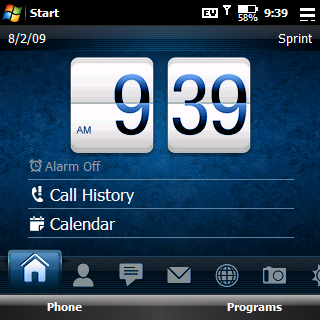
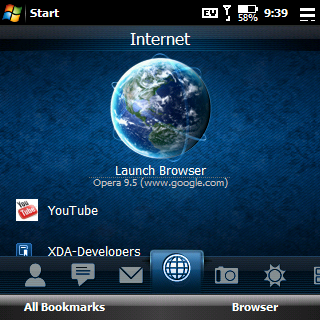
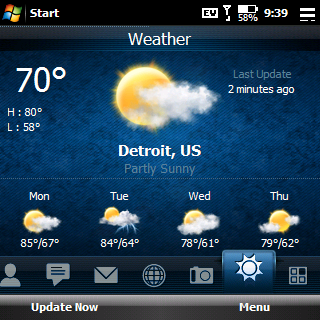 Example Theme: Diamond Blue
1. It is recommended to perform a
Hard reset before we begin. Just to start with a clean slate and avoid any possible conflict with programs already installed on your pro
2. Install Real VGA (Thanks Ebag)
3.Install
McCune_RealVGA_DialFix_v3 (Thanks McCune)
4.Install Manila 2D (Thanks koolcdj69)
5. Download & unzip
Xml Files For HTC Camera.zip (Thanks koolcdj69)
- a. Install the cab inside
- b. Paste the xml files inside the Windows folder on your pro (Via Activesync)
6. Download and unzip
HTCHomeSettings.zip and paste the HtcHomeSettings.XML file into your windows folder on your pro.
7. Install/Change Themes
- a. Download & unzip “Manila2d Treo Pro Themes.zip” (18 different themes, I forgot where I got this from, so I don’t know who to thank)
- b. Copy files onto treo pro
- c. In the programs folder open M2DC
- d. press add, find the themes, Add the one you want, press ok
- e. Look on the bottom, you will see Themes, Fonts, …Tabs ..etc. This is where you customize your home screen. Also, where you direct your internet program (i.e opera).
- f. press apply theme
8. Install
ArielBattery 2.1 (Thanks sunny127)
- a. This is a readable battery icon. Tap the icon, then press the tools softkey, go to setup. Here you can move the position of the battery over your original battery. You can also change the colors to give it an OEM look.
I also want to thank brianlp518 for making the comprehensive list, it made this much easier.
Enjoy!
-------------
Update 8/5/09
If the right side of your screen is "sticking"
Heres the fix:
1. Unzip
HTCHomeSettings.zip and paste the HtcHomeSettings.XML file into your windows folder on your pro.
2. Soft Reset
3. Go into M2DC and reapply them
I have implemented this step into the Guide, so no need to apply the fix if you followed the guide after this message was posted
-------------
-------------------------------------
-------------------------------------
ALL FILES (Updated)
-------------------------------------
-------------------------------------
Original post here:
Code
http://forum.ppcgeeks.com/showthread.php?t=77640