 |



|
#1
 09-12-2024, 09:54 PM
|
||||
|
||||
 Apps can now better protect your data by making you close potentially risky
Every app developer is responsible for protecting their own users, but they have little control over what other software a user installs on their device  and for good reason. Users should be allowed to install whatever apps they want on their own personal devices (including via sideloading), but some of those apps could be malicious and do things like discreetly record the screen. Thats why Google is giving developers a new tool that forces users to close potentially risky apps before those apps can steal any data. The new tool  called app access risk  is provided as part of the Google Play Integrity API. Thats the system that helps developers “check that interactions and server requests are coming from [their] genuine app binary running on a genuine Android device.†It analyzes the app that calls the API as well as the OS itself to look for signs of tampering. Apps that call the API receive an integrity verdict that tells them whether the app binary and the software environment its running in are “genuine,à¢Ã¢â€šÂ¬Ã‚ i.e. they match versions that are known to Google. Using the new app access risk feature, developers can determine whether there are other apps running on the device that might be potentially risky. These include apps that can capture the screen and apps that can control the device. Malware frequently abuses Androids APIs for screen recording and accessibility control, which is why developers may want to be on the lookout for any active apps that have these permissions. The way app access risk works is pretty simple. When developers call the Play Integrity API, they receive an integrity verdict that tells them whether there are any potential issues. If the environmentDetails.appAccessRiskVerdict.appsDetect ed field in the integrity verdict returns “UNKNOWN_CAPTURI NG,†“UNKNOWN_CONTROL LING,†“KNOWN_CAPTURING ,†or “KNOWN_CONTROLLI NG,†then Google Play Protect has detected apps running that could be capturing the screen or controlling the device. Developers can then show one of two remediation dialogs to prompt the user to close those apps. The CLOSE_UNKNOWN_ACCESS_RISK dialog should be shown if the developer wants the user to close apps that are unknown to Google  those that werent installed from the Play Store. The CLOSE_ALL_ACCESS_RISK dialog should be shown if the developer wants the user to close all apps capable of capturing the screen or controlling the device, even if those apps were installed from Google Play. 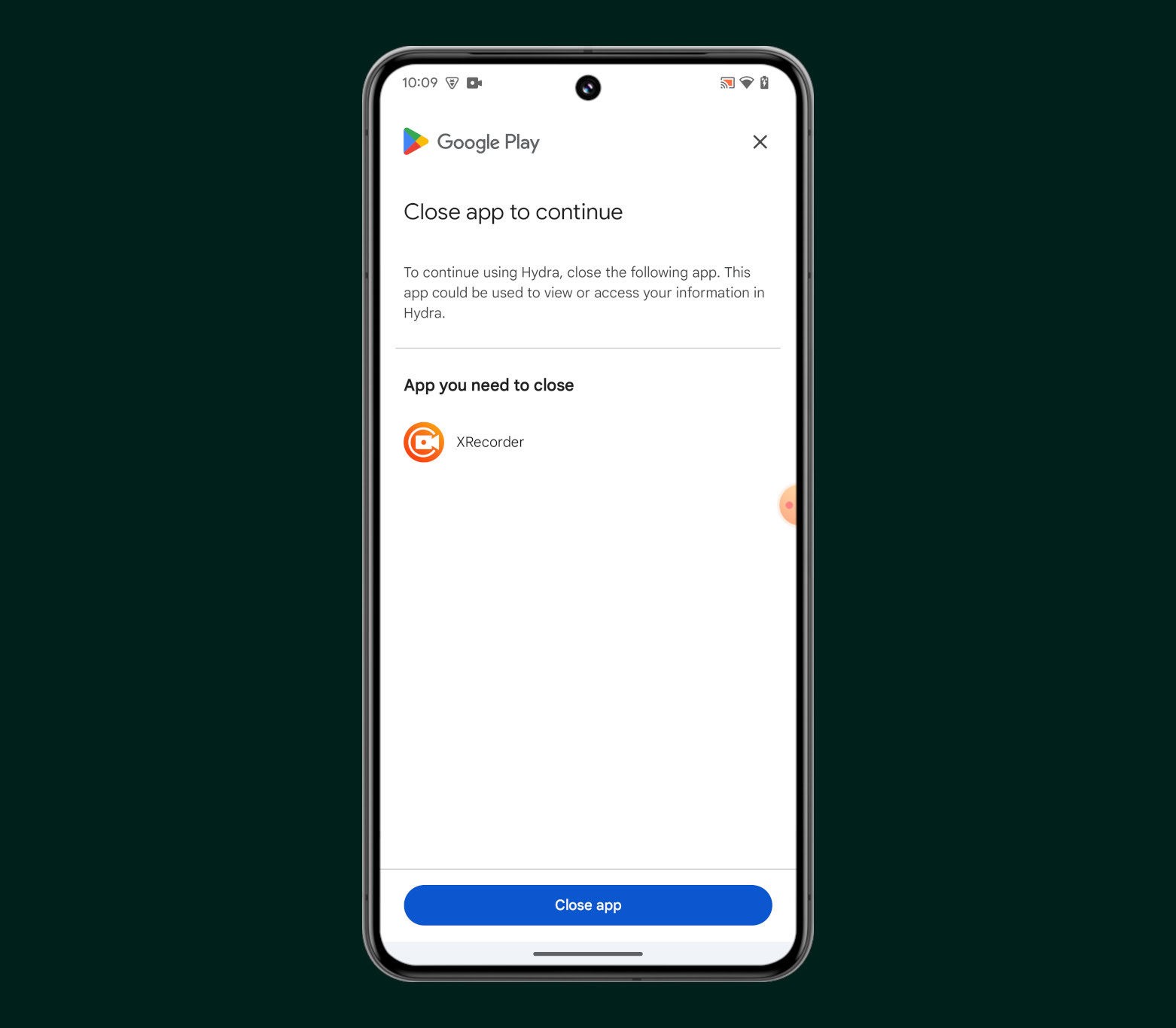 Credit: Mishaal Rahman / Android Authority The only exceptions are genuine accessibility apps that are known to Google, i.e. apps on Google Play that formally declare theyre accessibility tools, which is only allowed for apps that undergo an extensive approval process. Genuine accessibility apps are excluded from the “KNOWN_CONTROLLI NG†response, so users who rely on them wont be forced to disable them just to use other apps. For privacy, developers who use the app access risk feature arent given any user or device identifiers, nor are they given any information about the apps that triggered the positive verdict. In other words, theyre only told that some apps are running that might be risky, but not what those apps are. Google announced the app access risk feature at I/O earlier this year. Its been available in public beta since then, with companies like NEWBANK, Revolut, Mercado Libre, and PhonePe already using it. The image I shared above is from an open source app made by developer linuxct to demonstrate the new functionality. Developers who are interested in the app access risk feature should check out linuxcts demo app and Googles documentation to learn more about how to implement it. More... 
|





  |
«
Previous Thread
|
Next Thread
»
| Currently Active Users Viewing This Thread: 1 (0 members and 1 guests) | |
|
|

 Similar Threads
|
||||
| Thread | Thread Starter | Forum | Replies | Last Post |
| Google’s Pixel 10 can now run Linux apps better than other Android phones | phillynews215 | Digital Scoop | 0 | 10-22-2025 12:06 PM |
| iPad apps being better than Android tablet apps is such a bad myth, if you | phillynews215 | Digital Scoop | 0 | 12-21-2024 12:01 PM |
| Your Pixel can now detect malicious apps that collect data without your con | phillynews215 | Digital Scoop | 0 | 11-13-2024 07:56 PM |
| [NEWS] Google is making it easier to protect your data if your phone gets stolen | phillynews215 | Just About Digital Community | 0 | 10-05-2024 06:07 PM |
| Android 16 might better protect your data with its Advanced Protection Mode | phillynews215 | Digital Scoop | 0 | 10-03-2024 06:26 PM |
All times are GMT -4. The time now is 11:03 AM.