 |



|
#1
 11-01-2025, 12:38 PM
|
||||
|
||||
 Samsung Internet on PC has a multitasking feature similar to Galaxy phones
Samsung’s Galaxy smartphones have long been known for their multitasking prowess. Features like Multi Window have made it easy for users to juggle between apps, whether it’s watching a video while replying to messages or browsing the web while taking notes.
On devices like the Galaxy Z Fold series and Samsung’s tablets, the feature goes even further, allowing up to three apps to run side by side. Samsung has brought a similar experience to Samsung Internet for PC, its recently released Windows browser. One of its standout features is Split view, which lets you open and view two websites side by side within the same window. 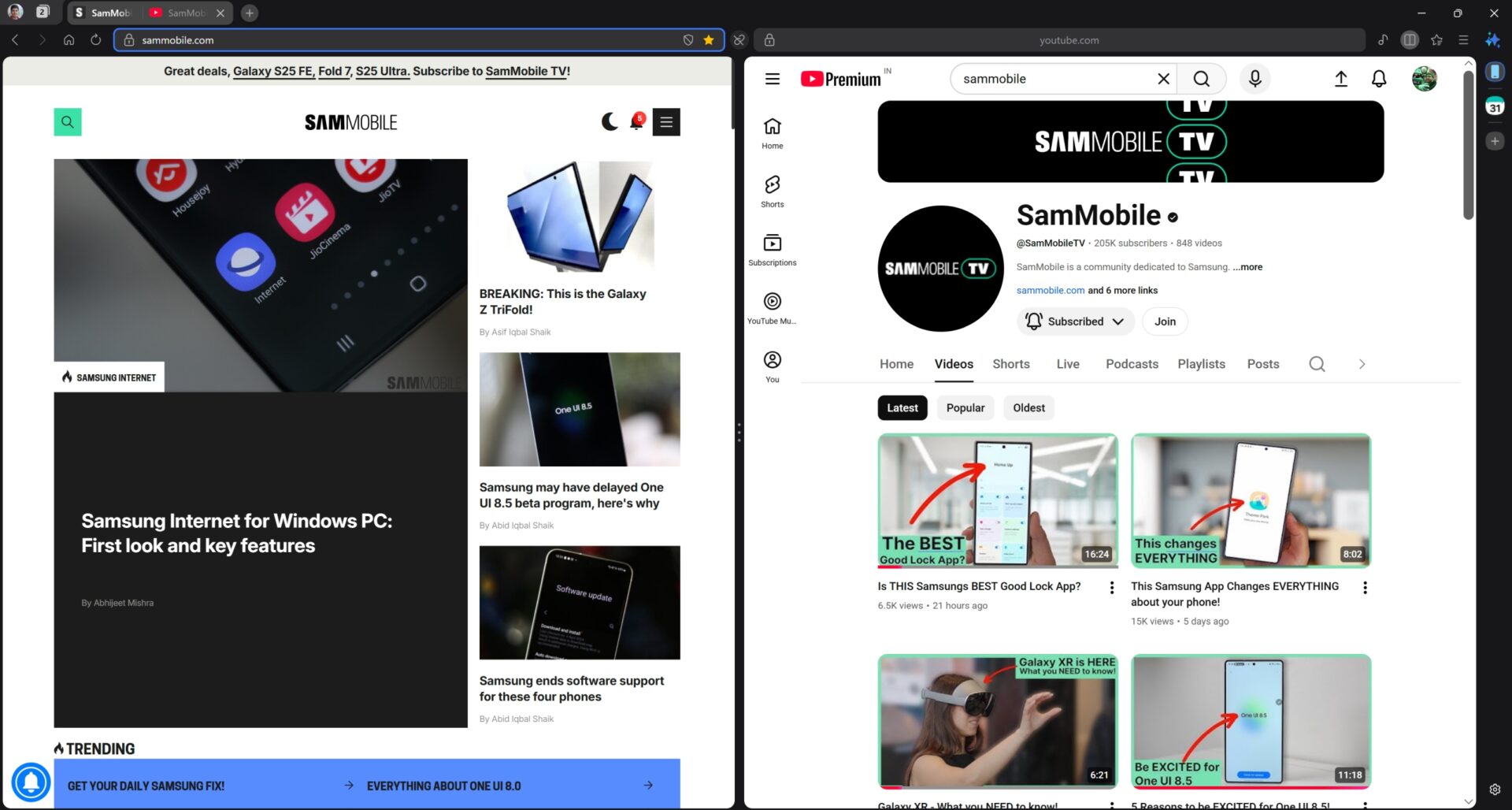 Like on Samsung’s phones and tablets, the browser lets you split the screen both horizontally and vertically. Furthermore, you can adjust the two halves to different sizes, with one half allowed to take up as much as 90% of the screen, similar to how Multi Window works on One UI 8. 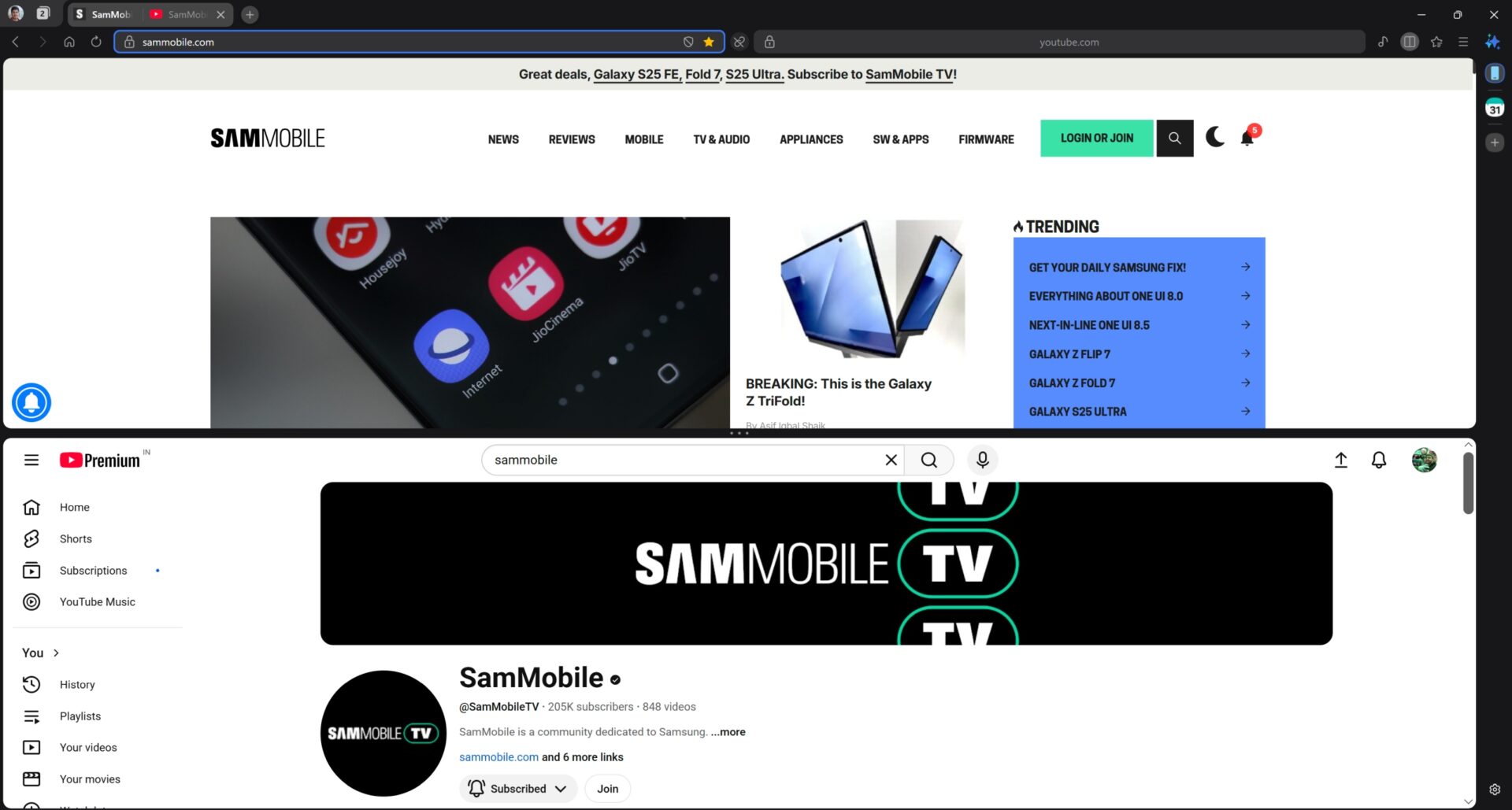 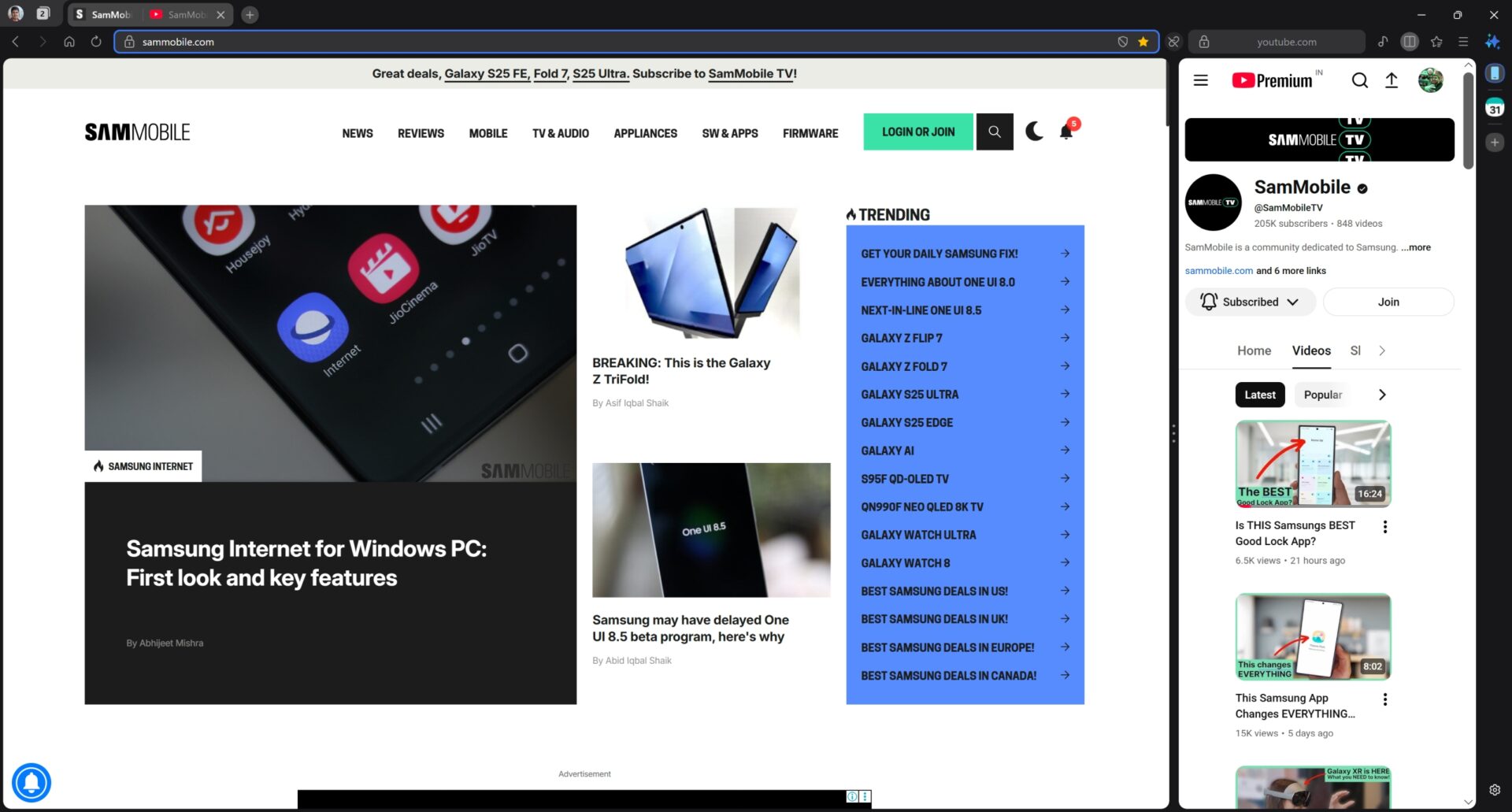 Split screen isn’t entirely new — browsers like Microsoft Edge have supported it for a while. But it’s still a notable feature for Samsung Internet on PC, especially for users already familiar with Samsung’s ecosystem. It brings a sense of continuity between Galaxy phones and PCs, allowing users to multitask in the same intuitive way across devices. Click here to learn how you can try Samsung Internet on your Windows PC. Once you have the browser open, you’ll find the Split view button next to the address bar. The post Samsung Internet on PC has a multitasking feature similar to Galaxy phones appeared first on SamMobile. More... 
|





  |
«
Previous Thread
|
Next Thread
»
| Currently Active Users Viewing This Thread: 1 (0 members and 1 guests) | |
|
|

 Similar Threads
|
||||
| Thread | Thread Starter | Forum | Replies | Last Post |
| Why Edge Panels are my secret weapon for multitasking on Samsung phones | phillynews215 | Digital Scoop | 0 | 10-27-2025 03:58 PM |
| [NEWS] Android 16 (One UI 8) could bring better multitasking to Galaxy phones, tab | phillynews215 | Just About Digital Community | 0 | 01-17-2025 10:14 AM |
| Android 16 could make multitasking better on phones with this split screen | phillynews215 | Digital Scoop | 0 | 01-15-2025 04:15 PM |
| Oxygen OS 15 brings one of OnePlus’s best multitasking feature to more devi | phillynews215 | Digital Scoop | 0 | 10-24-2024 11:15 AM |
| Samsungs newly launched Galaxy Buds 3 series looks suspiciously similar to | phillynews215 | Bulletin News | 0 | 07-10-2024 09:29 AM |
All times are GMT -4. The time now is 02:33 PM.